

Appearance
Machine controller
The Surfacecraft Controller is a touchscreen that plugs into your machine's USB port and runs your Surfacecraft jobs right at the machine. You jog, zero, probe and start the job standing next to the stock, without walking back to the laptop.
Hardware preview
The controller is in hardware preview, and the first batch is being planned. Join the waitlist at surfacecraft.app/controller.
What it works with
Machines with a GRBL 1.1 board that connect over USB, including the CH340 boards on most 3018 and 4040 routers. Sending jobs to a controller is part of Pro.
Pairing
- Power the controller and join it to your Wi-Fi. While it isn't set up, it makes its own Wi-Fi network called Surfacecraft-Setup-XXXX to walk you through that.
- The controller shows a pairing code.
- On your phone or computer, go to surfacecraft.app/pair. Pick the Target machine the controller drives, type the Pairing code and click Approve link.
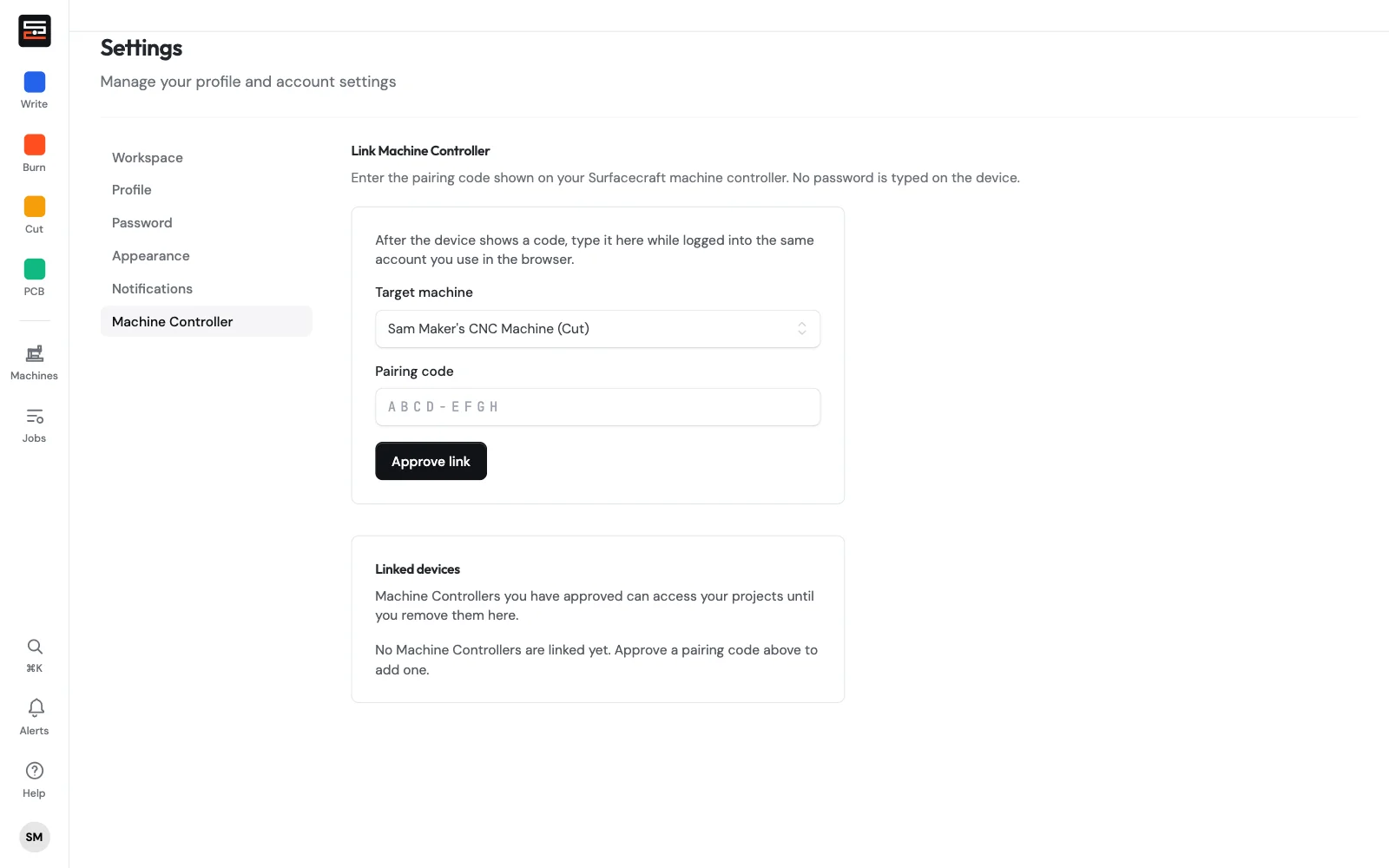
Once paired, the controller shows under Linked devices and on that machine's page with its live status. Remove it from Linked devices to unpair it. No password is ever typed on the controller.
Running a job
- In the editor, use Send to machine and pick the controller. The job appears on the controller's job list.
- On the controller, open the job. It shows the steps in order and the bit each one needs, with a heads-up before a bit change.
- Zero X and Y, and zero Z by hand or with the probe. A map of the bed shows whether the job fits at that zero.
- Go through the pre-run checklist and hold to start.
- While it runs you see the toolpath with the live position, progress and time left. Feed and spindle overrides, Pause and Stop are always one press away.
Other things it does
- Calibration by ear (Cut): after each test pass, tell it what you heard (clean, chatter, lost steps, bogged). It finds the fastest feed and depth your machine cuts cleanly and saves them as a material preset.
- Flatten: run a spoilboard or slab surfacing job set up in Cut Studio → Flatten.
- Map the copper for PCB Studio's leveled isolation. See Bits, leveling and the run sheet.
- Offline jobs from the microSD slot when the Wi-Fi is down.
- Firmware updates over Wi-Fi.
Safety
The controller sends the program; it can't see the machine. Check your zero, your clamps and your bit before every run, and keep the stop within reach.